Caught on camera
Six frames from the real window.
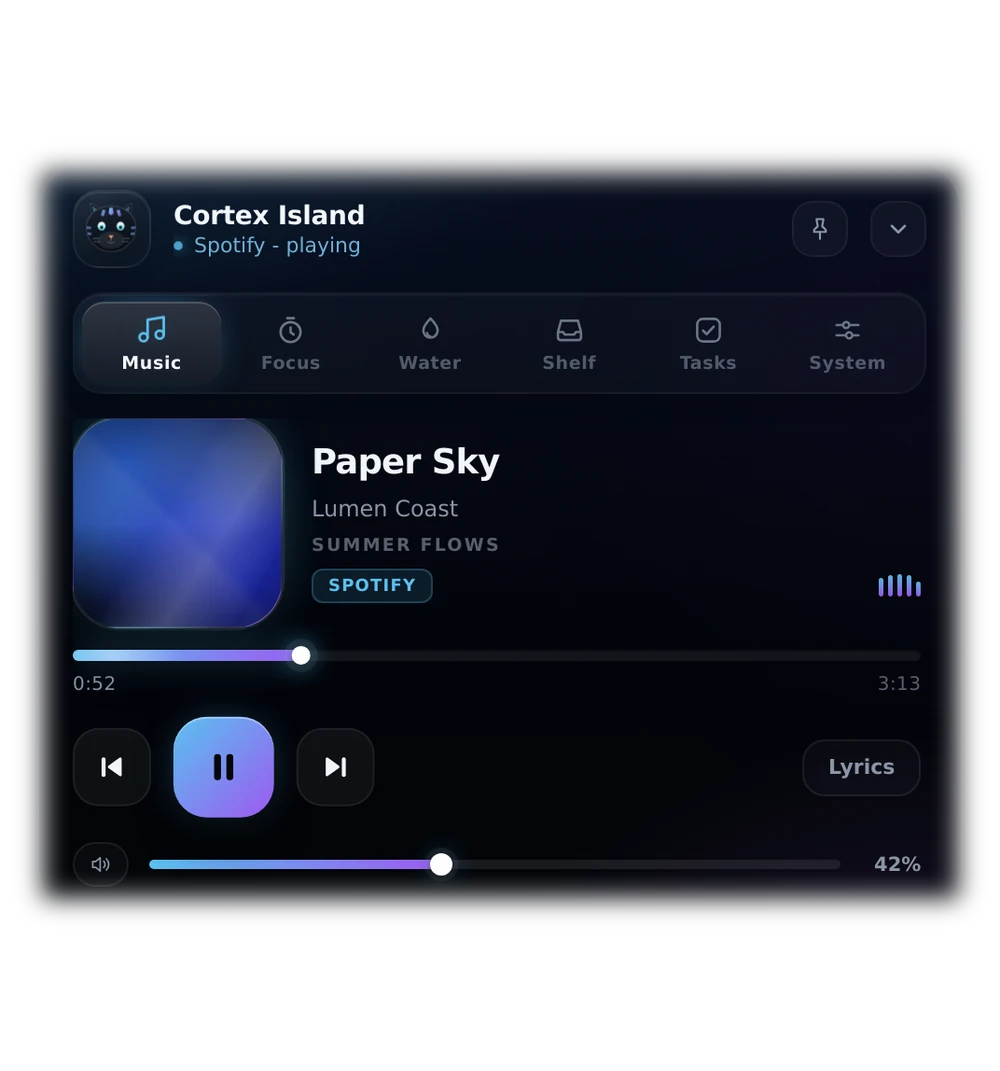
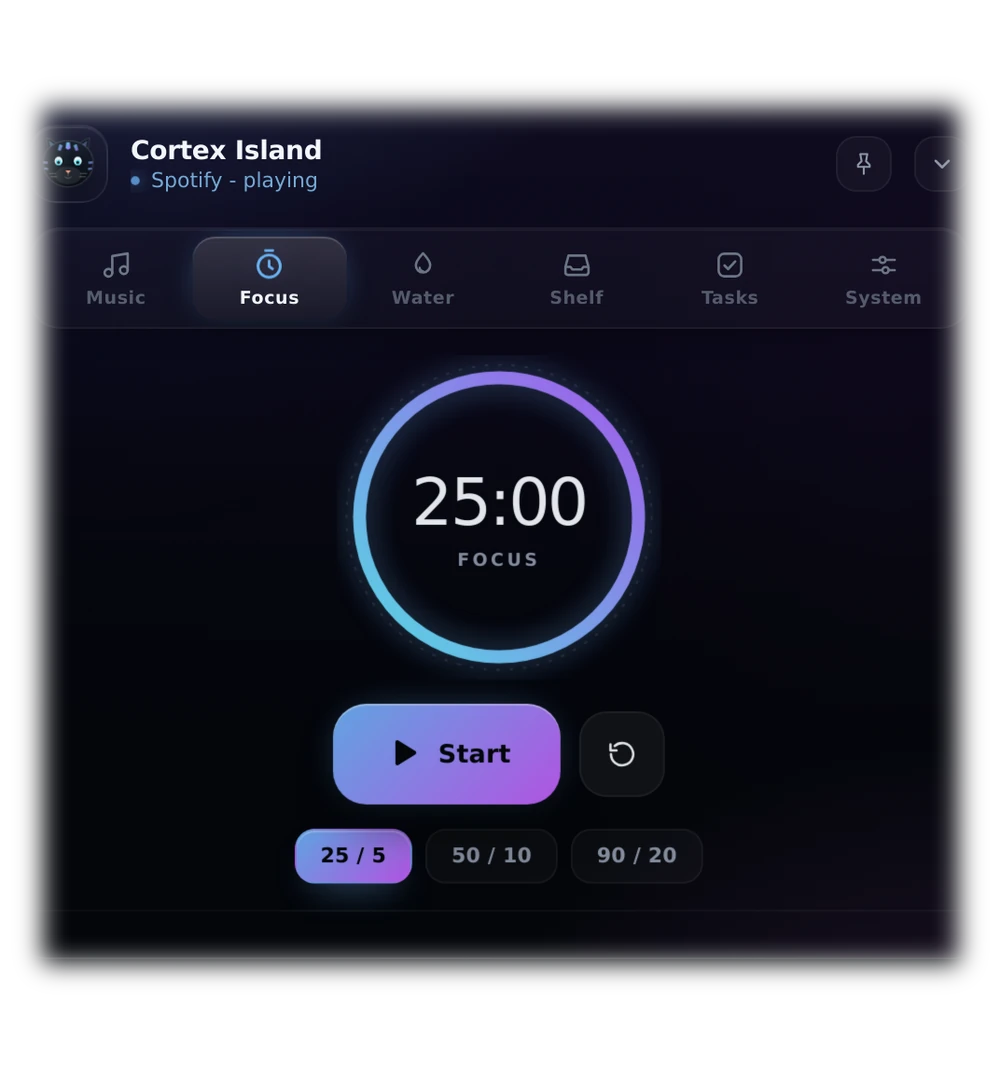
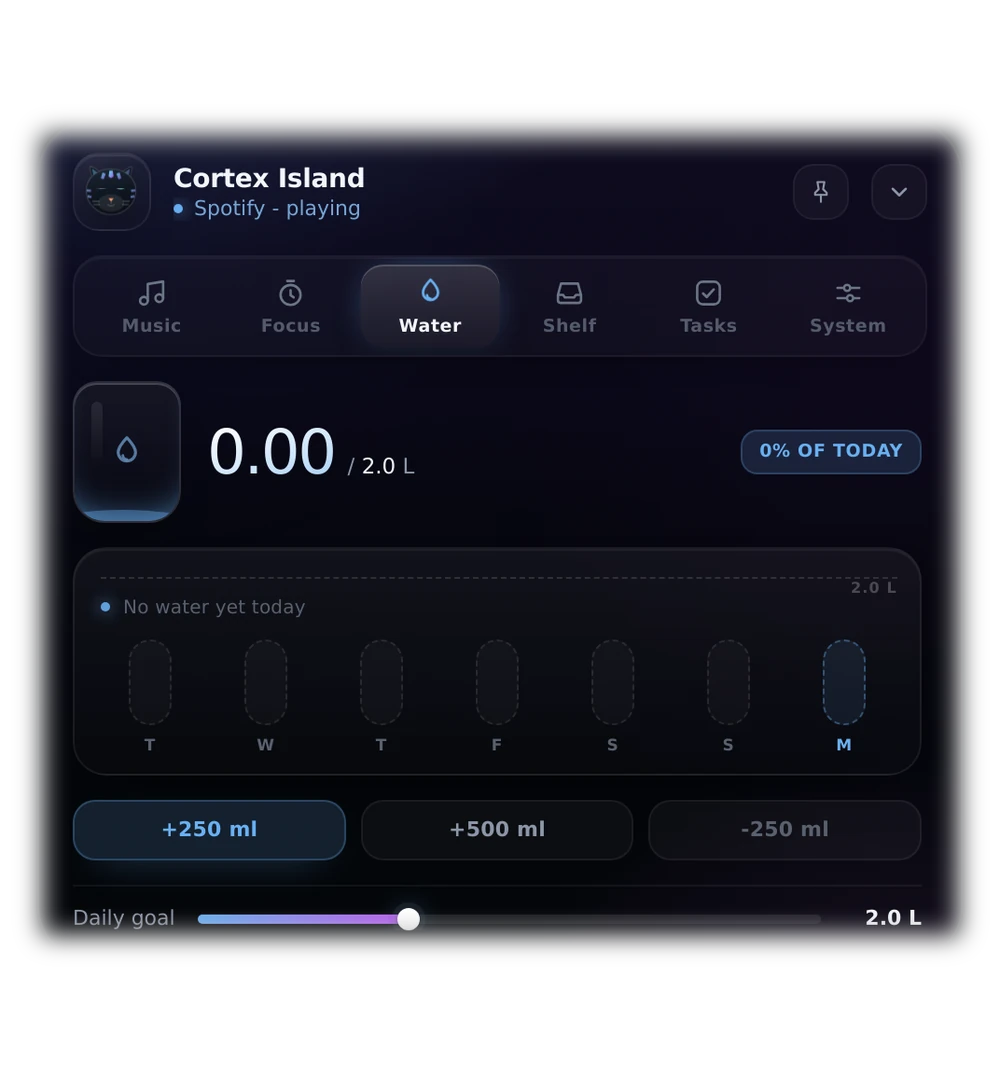
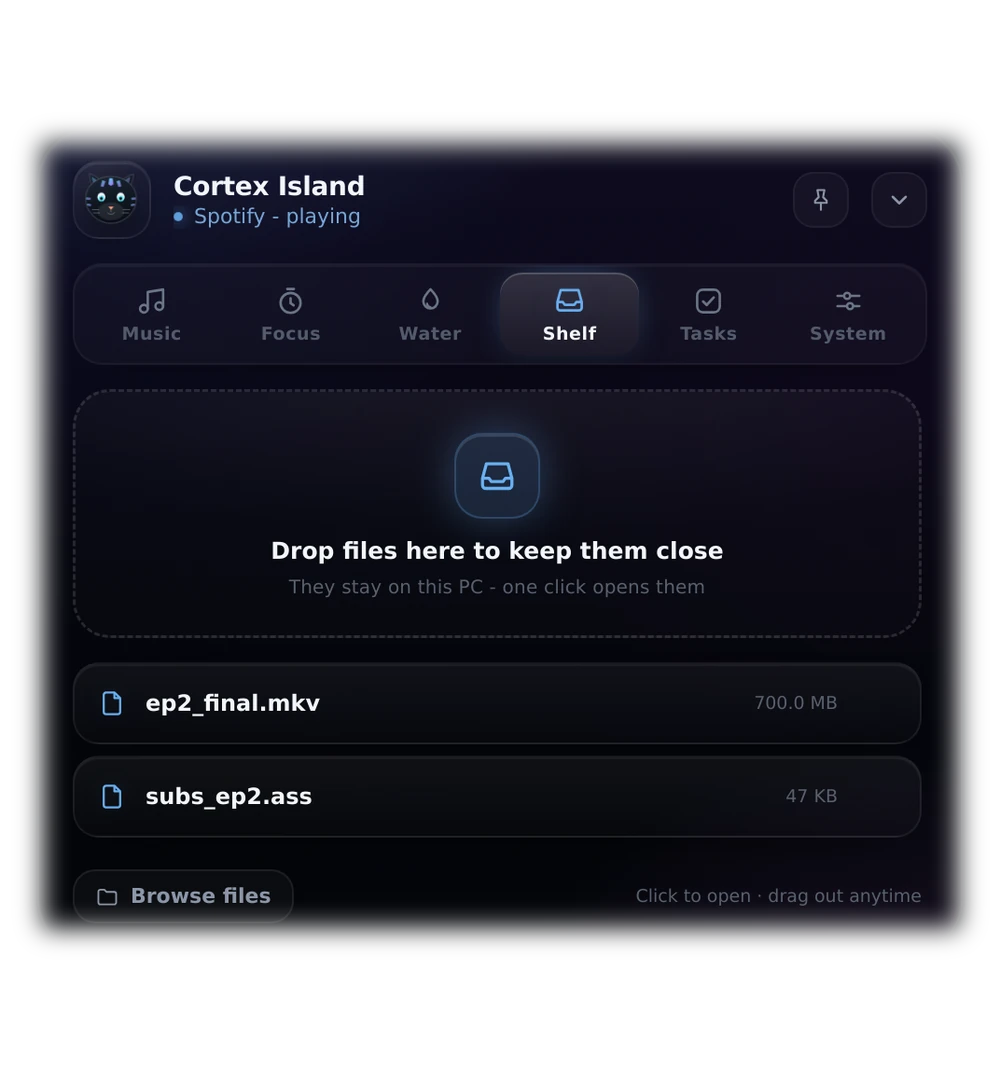
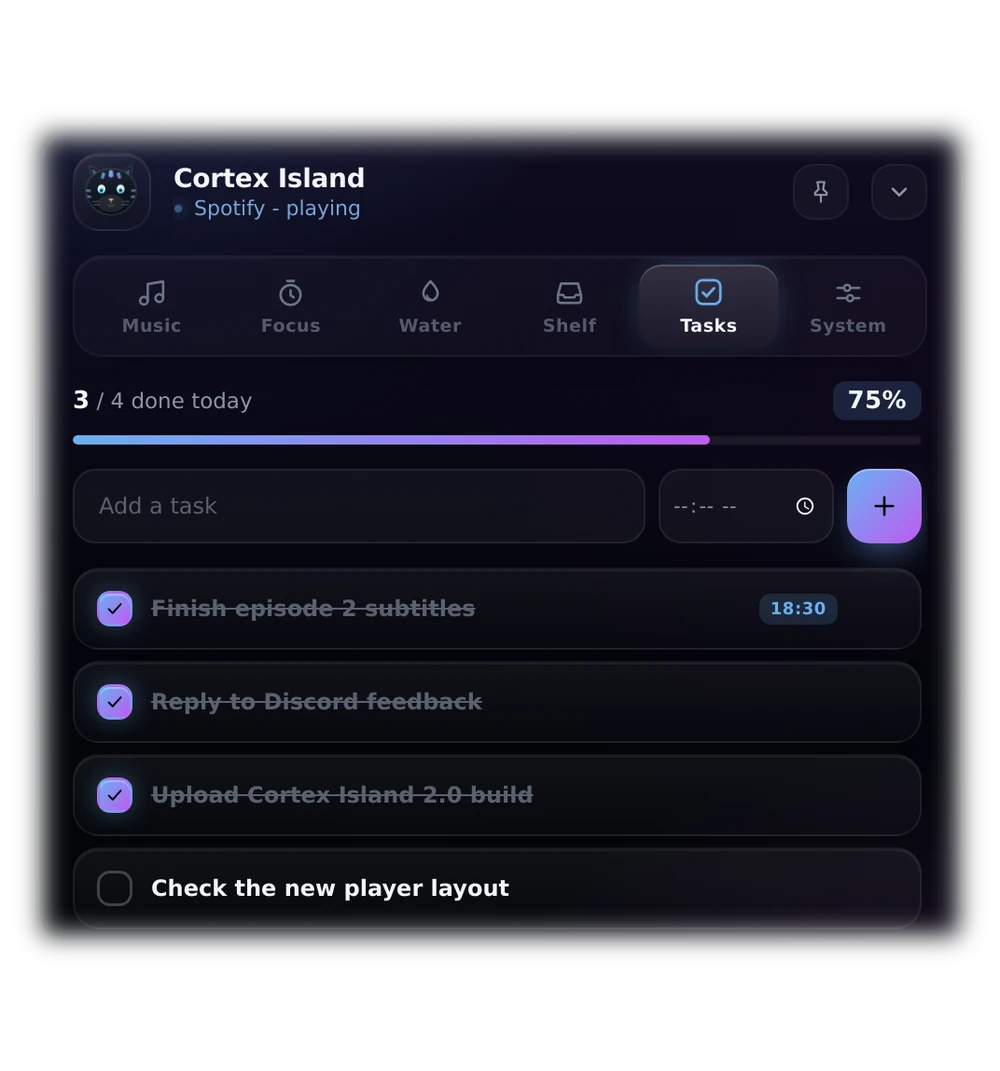
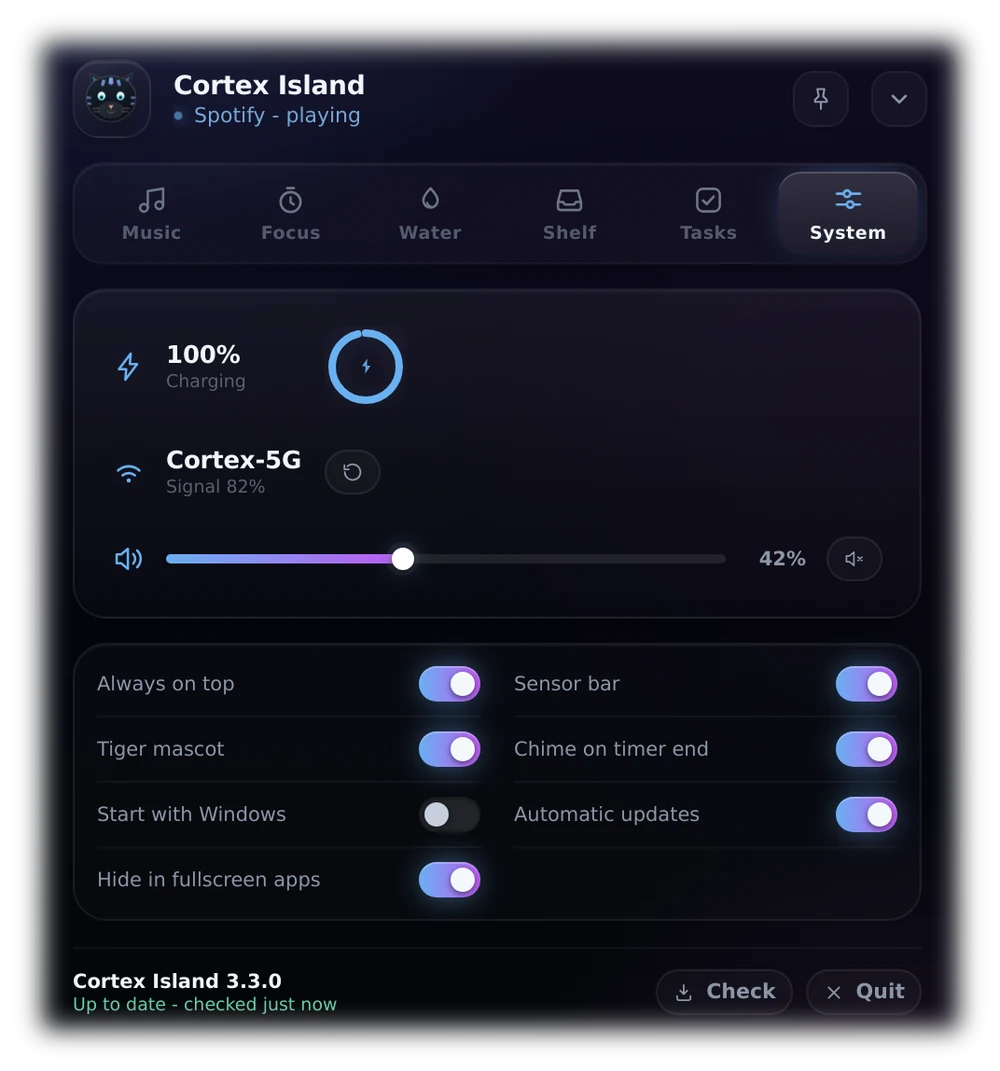
A real Dynamic Island for Windows. The track, a timer, your water, a file transfer and the machine itself take the pill one at a time, in the same three presentations iOS uses. Tinted live by the album art, and by your Windows accent colour when nothing plays.
The engine did not change - the same six activities, the same four presentations, the same gestures. What changed is everything you look at, and two bugs you could feel.
A task reminder used to be painted over the panel and could cover the update footer, the Browse button or your last task row. It now lives under the island and drops out from beneath it, so it can never sit on a control again.
Each view is exactly as tall as its content: the shelf footer, the last task row and the system switches all fit, with nothing clipped and no scrollbar rail over the update strip. Verified frame by frame, not by eye.
The album cover is reused as a blurred light behind the panel, faded out before it reaches the text. Tinted sliders, gradient cards, a filling glass and one hairline of highlight on the top edge complete the shell.
Tabs animate in the direction you move through them, rows arrive one after another, the ring gets a tick bezel and an orbiting aura while a timer runs, and the equaliser breathes with the track. Reduce-motion still turns all of it off.
Everything that happens is a Live Activity. Tap the pill to open it, long press to pin it, swipe up to fold it away, or press Ctrl+Alt+C from anywhere.
Spotify, YouTube, Media Player, VLC, TIDAL, Deezer - whatever Windows sees as a media session. Title, artist, seek, skip and volume without switching windows.
The notch splits in two and walks through the song line by line, each one lighting up as it is sung. Click any line to jump there.
25/5, 50/10 or 90/20. The countdown lives in the collapsed pill so it stays in sight, and a soft chime tells you when to stop.
Set your bottle size and daily goal, log with one click, and see the last seven days as a small chart.
Drag files onto the notch to keep them close, then drag them out into a chat, an email or another folder. Files never move.
Jot a task, give it a time, and the island taps you on the shoulder when it is due. Lists reset with the day.
The window is created once and never resized. Each shape below is the same element in a different posture - so a track ending, a timer starting or a file landing does not open a window, it bends one.
Nothing here is a skin drawn on top of the desktop. Cortex Island talks to the parts of Windows that matter, then stays out of the way.
Centred on the work area of the display you pick, three pixels below the edge. Move a monitor, change a resolution, plug in a projector - it re-anchors itself without a flicker, and it never draws inside another window.
On a multi-monitor desk, pick the screen from the tray menu. The island centres itself on that display's work area and moves with it when the resolution changes.
A game or a full-screen video owns the screen: the island fades out, stops taking clicks, and slips back the moment you are done. Switchable in the panel.
On by default, per user, no admin rights, nothing written into the task scheduler. It is in place before you are, and one switch turns it off again.
Every few hours it asks the server for a newer build, downloads it quietly, and offers a single button: restart and install.
With nothing playing, the glow takes the colour you picked in Windows settings - and goes dark or bright with the system theme.
Volume and mute through the Windows audio endpoint, brightness through WMI, Caps Lock, battery level and the Wi-Fi name - read from the system, not guessed.
The window is created once and never resizes, so every state change is one uninterrupted morph instead of a new frame. What you see below is one element changing shape, the same way the app does it.
Cortex Island installs for your user only, adds a tray icon next to the clock, and uninstalls cleanly from Windows Settings.
Download CortexIsland-3.3.0-Setup.exe and run it. The app is new and not signed with a paid certificate, so SmartScreen may say "Windows protected your PC" - click More info, then Run anyway. It starts with Windows by default and keeps itself updated.
The default is %LOCALAPPDATA%\Programs\Cortex Island. Desktop and Start Menu shortcuts are created for you.
It appears at the top of your primary screen and in the tray. Hover to open, press Ctrl+Alt+C any time, right-click the tray icon for switches.
Version 3.3.0 · Windows 10 (1809+) or Windows 11 · 64-bit
Yes. Right-click the tray icon, open Screen, and pick a display. The island centres itself on that screen's work area and follows resolution changes.
The island fades out and stops accepting clicks while a full-screen window owns the screen, then comes back when you leave. Turn it off under System → Hide in fullscreen apps.